Track planes with a Raspberry Pi
This guide shall demonstrate how to set up PiAware (FlightAware) on a Raspberry Pi.
Prerequisites
- Raspberry Pi + Micro SD card
- SDR-Receiver (software-defined radio) w/ antenna (AMAZON LINK)
- Software to flash PiAware onto the micro SD card (Balena Etcher)
Installation
The installation process of PiAware is very simple and straight forward.
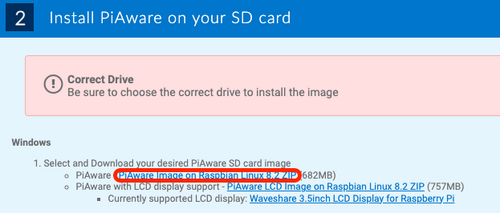
- Visit the FlightAware website and download the latest version of PiAware
- Unpack the PiAware archive
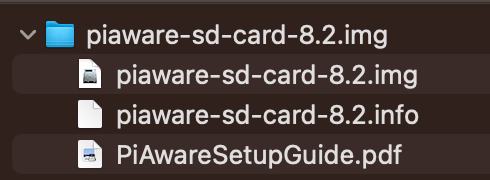
- Flash the piaware.img file onto the micro SD card
(Optional) Activate Wireless LAN
On the prepared micro SD card you will find a file called “piaware-config.txt“. In this file edit the following lines and save your changes:
wireless-ssid MyWifiNetwork
wireless-password s3cr3t
- Insert the micro SD card into the Raspberry Pi and connect power
If you have a monitor connected to the Raspberry Pi it will show the IP address that your installation is available at in your local network. Otherwise, you should be able to find the IP address listed on the admin interface of your router.
If everything works as expected you should see the following webpage:
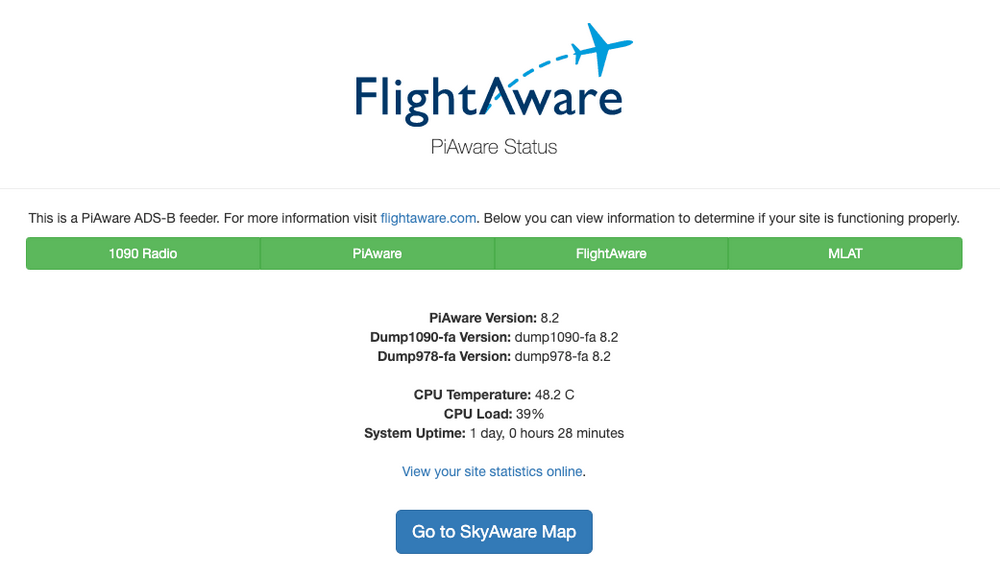 Note: MLAT may be red for you. Please read below for the fix.
Claim your PiAware
Once your PiAware installation is completed you can claim your ground station on the FlightAware website. This will allow you to see statistics, remotely control your setup, and grant you a free enterprise account on flightaware.com. Simply follow the on-screen instructions.
MLAT
What is MLAT?
Multilateration (MLAT) is a surveillance technique used in aviation to determine the precise location of aircraft. It relies on a network of ground-based receiving stations that measure the time difference of arrival (TDOA) of signals from the aircraft. By comparing the arrival times at different stations, the aircraft’s position can be calculated using triangulation.
Setting up MLAT
By default, your Raspberry Pi does not know its location. To fix this you can set the exact location on the FlightAware website.
- Select “Go to my ADS-B Statistics Page” on your PiAware instance
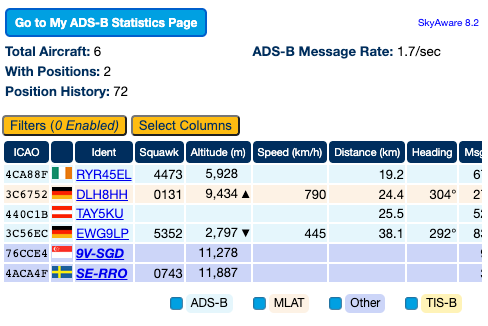
- On the page that opens, select the cogwheel above the “Site Information” panel
- Set “Receiver location” and “Nearest Airport”
- Make sure that “MLAT enabled” is active
Conclusion
You can now track airplanes nearby. Depending on the strength and positioning of your antenna the tracking range may vary. It’s advised to place the antenna outside for the best result.